

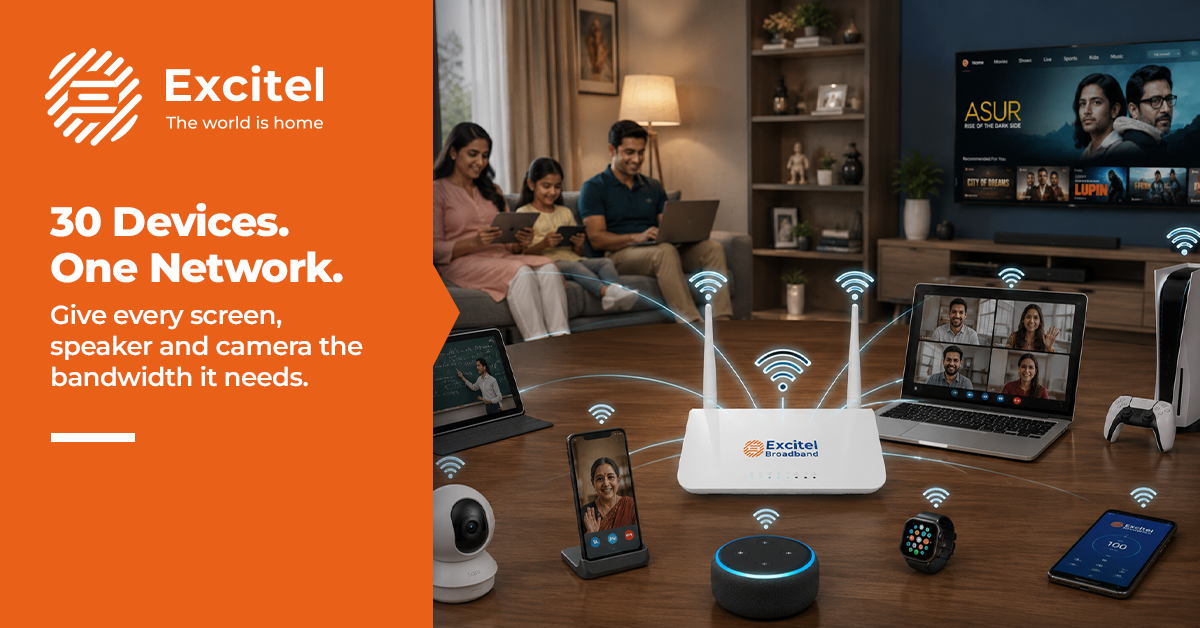


Your ₹699 broadband plan was built for a simpler time, when the most demanding thing on your Wi-Fi was a YouTube video. Today, the average urban Indian household runs smart TVs, security cameras, Alexa or Google Home, smartphones, laptops, and a growing list of IoT gadgets, all at the same time. That’s not 5 devices; that’s closer to 20-30, and each one quietly consumes your broadband for smart-home needs without you even noticing.
If your internet has been crawling lately, the problem isn’t your router placement or your ISP’s tower. The problem is that your plan was never designed for the home you’re actually living in. This guide breaks down exactly why device count is the wrong thing to worry about, and what you should be looking at instead.
The Rise of Connected Homes
Indian households are no longer just “connected”, they’re smart. The average urban home in 2025 has multiple streaming screens, at least one smart speaker, a handful of IoT-enabled appliances, and often a security camera or two. Each of these gadgets is hungry for bandwidth, and they’re all eating from the same plate.
Here’s what a typical connected home looks like today:
- Smart TVs: Streaming 4K content on Netflix, Prime Video, or Hotstar eats anywhere between 15 and 25 Mbps per screen, every single minute it’s playing.
- Security cameras: A single HD camera uploading a continuous live feed uses 1-4 Mbps constantly. Three cameras are dedicated to 12 Mbps just watching your door.
- Smart speakers: Alexa and Google Home devices stay connected 24/7, listening and syncing. Low individual consumption, but they never go offline.
- IoT adoption: Smart ACs, connected fridges, smartwatches syncing to the cloud, and robot vacuum cleaners with app controls – the average Indian home added 3-5 new IoT devices in 2024 alone.
Why Device Count Is the Wrong Metric?
Here’s the thing nobody tells you: it doesn’t really matter if you have 10 devices or 30. What matters is what each device is doing at any given moment, and how much bandwidth it’s consuming. Understanding this shifts the entire conversation:
- Bandwidth consumption differences: A smart bulb turning on uses almost zero bandwidth. A 4K stream uses 25 Mbps, two devices, and has a wildly different impact, and counting devices tells you nothing.
- Streaming devices: One family member watching 4K, another on a video call, and a third gaming online can easily require 60-80 Mbps of simultaneous bandwidth, and that’s just three people.
- Background updates: Your phone, laptop, smart TV, and router all update their software automatically, often at night but sometimes at midday. A single Windows update can push 500MB+ in the background. You won’t notice it until everything else slows down.
- Usage patterns: Peak hours (8 PM-11 PM) are when every device in your home is active simultaneously. Your Wi-Fi-for-30-devices scenario isn’t theoretical; it’s Tuesday night.
Hidden Bandwidth Hogs
Some of the biggest drains on your connection are things you never even consciously use. They run in the background, silently, every day.
These are the devices and behaviours quietly eating your bandwidth alive:
- 4K streaming: A single 4K Ultra HD stream on Netflix requires approximately 25 Mbps. If two people at home are watching different shows simultaneously, that’s 50 Mbps gone before anyone even opens a browser.
- Cloud backups: Google Photos, iCloud, and OneDrive all automatically back up your camera roll. In a household with 4 smartphones, that’s thousands of photos and videos being uploaded without anyone pressing a button.
- Camera feeds: An internet-connected CCTV system with 4 cameras streaming at 1080p can consume 15-20 Mbps around the clock. That’s your internet usage for the smart TV security camera, eating up an enormous slice of your capacity 24/7.
- Software updates: Smart TVs, gaming consoles, smartphones, and laptops all update themselves. These updates are designed to run quietly, but they’re not designed to be small.
Signs Your Plan Is Overloaded
If your home feels like bandwidth is always running out, your plan probably is overloaded. Your current plan is struggling if you’re experiencing any of these:
- Buffering: If your stream drops to 480p or buffers mid-scene, it’s your connection being stretched too thin across too many concurrent requests.
- Slow downloads: A file that should take 30 seconds takes 10 minutes; background processes and active devices compete for the same limited pipe.
- Disconnected devices: Routers on overwhelmed networks will start dropping lower-priority devices. You notice this when your smart speaker suddenly goes offline, or your security cameras lose connection.
- Network congestion: Your plan’s speed was likely tested on a single device. Add 20 more, and the experience is completely different. Wi-Fi is slow with many devices because it’s a bandwidth problem, not a router problem.
Future-Proofing Smart Homes
The devices in your home will only multiply, hence planning your internet connection for what you have today is already behind the curve.
Here’s how to think about your broadband for a smart home, built for tomorrow:
- Speed planning: A good rule of thumb is to budget 25 Mbps per active streaming device, 5-10 Mbps per active gamer, and 10 Mbps for all background processes combined. For a household of 4 with smart devices, the required internet speed for a smart home starts at 200 Mbps and ideally sits at 300 Mbps+.
- Router upgrades: A Wi-Fi 6 router distributes bandwidth far more efficiently across multiple devices. Pairing it with a high-speed plan is the actual solution to the Wi-Fi problem for 30 devices.
- Fibre connectivity: Fibre-to-home doesn’t share bandwidth with your neighbours the way cable broadband does. During peak hours, your FTTH speed holds steady because the line is dedicated to your home.
- Growing device ecosystems: By 2030, analysts project the average Indian household will have 50+ connected devices. Your infrastructure needs to be ready for that curve, not catching up to it.
Excitel’s scalable plans, built on a pure FTTH architecture across Delhi, Hyderabad, Lucknow, and more, give you the best broadband for a connected home that grows with your household.
Excitel Cable Cutter OTT Plans
Excitel doesn’t just solve your bandwidth problem; it also replaces your cable TV subscription. The Cable Cutter plans combine high-speed fibre internet with access to top OTT platforms and live TV channels, all in one monthly bill.
| Plan | Speed | OTT Platforms | Live TV Channels | Best For |
|---|---|---|---|---|
| Cable Cutter 300 | 300 Mbps | 22+ OTT platforms (Amazon Prime Video, Disney+ Hotstar, SonyLIV & more) | 250+ | Power households with 4K streaming, gaming, and remote work |
| Cable Cutter 200 | 200 Mbps | 22+ OTT platforms (Amazon Prime Video, Disney+ Hotstar, SonyLIV & more) | 250+ | Mid-size families balancing speed and entertainment |
The Excitel 300 Mbps plan is the clear pick for any household with 20+ devices, simultaneous 4K streaming, and remote work happening under one roof. Excitel unlimited data plan means no monthly cap stress, your cameras, your cloud backups, and your binge sessions all run freely. Visit Excitel to check availability in your area and pick the plan that actually fits your home.
Frequently Asked Questions
How much internet speed does a smart home with 20–30 devices need in India?
A smart home with 20–30 active devices needs at least 200 Mbps, but 300 Mbps is the recommended benchmark for homes with 4K streaming, security cameras, and remote work happening simultaneously. Devices like smart bulbs consume negligible bandwidth, but streaming screens and cameras can each use 15-25 Mbps continuously.
Can a ₹699 broadband plan handle smart TV, cameras, and Alexa together?
Most ₹699 plans in India offer speeds between 30–100 Mbps, which is insufficient for a household running a 4K smart TV (25 Mbps), two security cameras (8 Mbps), and other active devices at once. Once you add phones, laptops, and background updates, the plan is overwhelmed during peak hours.
Why does Wi-Fi slow down when smart TV, cameras, and speakers are all on?
Wi-Fi slows because all devices share the total available bandwidth. When a smart TV streams 4K, cameras upload live feeds, and other devices run background processes simultaneously, the combined demand exceeds what lower-tier plans provide. This is a bandwidth problem, not a signal problem, and it’s solved by upgrading your plan, not your router placement.
What are the biggest hidden bandwidth consumers in a connected Indian home?
The top hidden bandwidth consumers are cloud photo backups from multiple smartphones, security cameras streaming 24/7, automatic software updates on smart TVs and gaming consoles, and music or podcast apps streaming in the background on smart speakers. Combined, these can consume 20-40 Mbps even when no one is actively using a device.
Which Excitel plan supports a smart home with unlimited data around the clock?
The Excitel 300 Mbps Cable Cutter plan is the most comprehensive option, offering 300 Mbps fibre speeds, unlimited data, 25+ OTT platforms including Amazon Prime Video and Disney+ Hotstar, and 250+ live TV channels. It’s purpose-built for households that stream, work from home, and run smart devices around the clock. Visit Excitel for plan details.

