

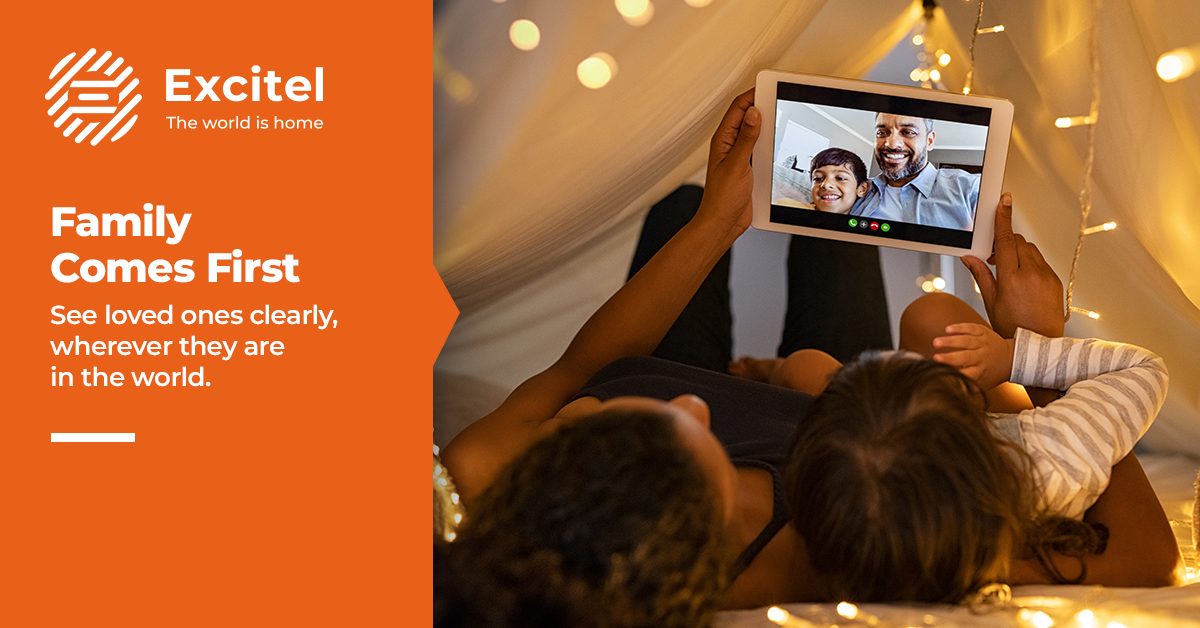


Nobody planned this when a few years ago, the idea that a 65-year-old grandmother in Delhi would be confidently FaceTiming her grandson in Canada every Sunday morning would have seemed ambitious. Now it is just the weekend routine. Broadband for video calls has quietly become the real reason urban Indian families upgrade their internet.
The emotional weight of that connection is enormous, and yet most home networks are still set up as if bandwidth is the only thing that matters. Latency, router placement, signal coverage, and fibre stability all determine whether that Sunday call feels like a hug or a buffering nightmare. Excitel home broadband was built for exactly this kind of always-connected, family-first internet life. Here is why your current setup might be letting your family down, and how to fix it.
How Family Communication Became a Broadband Priority
The way Indian families stay connected has shifted permanently. Video calls have become the primary channel for family bonding across cities and continents.
- Changing usage patterns: Households that once used broadband mainly for entertainment now schedule their internet around call times. Peak usage in Indian homes increasingly happens between 8 and 10 pm, when families connect across time zones.
- Video calls as family bonding: For Indian joint families spread across cities, a daily video call is the thread that keeps relationships intact. Missing a call or dealing with a frozen screen creates genuine emotional frustration.
- NRI families and grandparents: For broadband connectivity, the stakes are even higher. An elderly parent in Lucknow who makes a daily video call to a son in the US needs a connection that works without dropped calls, one-sided audio, or pixelated faces.
- Call quality matters emotionally: A freezing screen mid-conversation does not just feel inconvenient. For an elderly grandparent who looks forward to that call all week, it feels like a door slamming shut.
Why Video Calls Need More Than Internet Speed
An unstable 100 Mbps connection will deliver a worse video call experience than a 30 Mbps connection with low latency and consistent uptime.
- Latency and network quality: Latency, the time it takes data to travel between your device and the server, directly determines how smooth a call feels. Low-latency internet in India means less delay, fewer talk-over moments, and more natural conversation. Fibre networks deliver significantly lower latency than cable or DSL alternatives.
- Coverage vs speed: A plan with high headline speed means nothing if the signal cannot reach the room where your parents sit. Coverage across the full home matters as much as the speed itself.
- Video quality requirements: A standard HD video call on WhatsApp or Zoom requires approximately 1.5-3 Mbps per participant. That sounds low, but with 3-4 family members on different devices simultaneously, the best internet for WhatsApp video call performance requires consistent throughput, not just peak speed.
- Common call issues: Freezing mid-sentence, audio lag, blurry video, and dropped calls are almost always network stability or coverage problems, not speed problems. Why do video calls freeze on Wi-Fi even when your speed test looks fine? Because speed tests measure a single moment in time, real calls require sustained, uninterrupted delivery.
Router Mistakes That Affect Video Calls
Most Indian households set up their router near the front door, because that is where the cable comes in. In a 2BHK or 3BHK home, the bedroom where grandparents usually sit for calls is farthest from the signal source.
- Wrong router placement: The router should be placed centrally, elevated off the floor, and away from walls wherever possible. Router placement for video calls makes a measurable difference, as a router in the centre of a 3BHK home covers bedrooms far more effectively than one in the corner near the entrance.
- Interference from walls and electronics: Concrete walls, microwave ovens, cordless phones, and neighbouring Wi-Fi networks all interfere with the 2.4GHz signal. Move the router away from kitchen appliances, and use the 5GHz band for devices in close range.
- Old router limitations: Routers over three to four years old often cannot handle multiple simultaneous HD streams. A modern dual-band or Wi-Fi 6 router makes a significant difference for households running three or more connected devices during a call.
- Dead zones: Most Indian homes have at least one room with a poor signal, usually the kitchen or a back bedroom. These are often exactly where older family members spend their time.
Why Grandparents Face More Connectivity Problems
Wi-Fi for grandparents is a specific challenge, and it deserves to be treated as one rather than dismissed as a “user error.” Older family members are not using broadband less; they are relying on it more.
- Usage patterns: Grandparents tend to use a single, stationary device, a tablet or phone, in the same corner of the home every day. If that corner has a weak signal, every call suffers, every time.
- Signal strength challenges: Older devices often have weaker Wi-Fi antennas and connect at lower speeds even when the router is capable.
- Device limitations: Tablets and older smartphones may only support older Wi-Fi standards (802.11n), limiting connection speeds regardless of the router’s capability.
- Uninterrupted calls: For a grandparent making internet calls to family abroad, a mid-call disconnection is a disruption to something they genuinely look forward to.
Building a Home Network for Family Connections
Every person in the house should be able to make a clear, uninterrupted video call from wherever they naturally sit, at the same time.
- Router placement tips: Place your router at the centre of your home, at shoulder height or above, away from walls, floors, and large appliances. This single change often resolves 70% of dead zone complaints in standard Indian apartments.
- Mesh Wi-Fi basics: For homes larger than 1,000 sq ft, or those with multiple floors, a mesh Wi-Fi system adds satellite nodes that extend coverage seamlessly. The user’s device connects to the strongest node automatically without manual switching.
- Choosing the right speed: For a household of four with two or three people on simultaneous video calls, a 200 Mbps plan provides comfortable headroom. For an NRI family, connectivity with international calls running alongside streaming, 300 Mbps removes any bottleneck.
- Supporting multiple users: The best broadband for Zoom family call performance comes from a plan with consistent throughput, not one that delivers peak speeds for one user but degrades when multiple devices connect simultaneously. Fibre handles concurrent usage better than cable alternatives.
Excitel fibre plans for India are designed around real household usage. The Cable Cutter range combines high-speed fibre internet for families with OTT access, so your broadband works for calls, streaming, and everything in between.
Excitel Cable Cutter Plans
| Plan | Speed | OTT Platforms | Live TV Channels |
|---|---|---|---|
| Cable Cutter 300 | 300 Mbps | 22+ OTT platforms (including Amazon Prime Video, Disney+ Hotstar, SonyLIV) | 250+ |
| Cable Cutter 200 | 200 Mbps | 22+ OTT platforms (including Amazon Prime Video, Disney+ Hotstar, SonyLIV) | 250+ |
Your parents upgraded their broadband for one reason: to see your face clearly, without delays or dropped calls. That is not a technical requirement. Excitel home broadband delivers the FTTH infrastructure, the plan flexibility, and the consistent performance that family-first homes need. Upgrade to fibre internet for family connectivity that works.
FAQs
Why do WhatsApp and Zoom video calls freeze on home Wi-Fi in India?
Video calls freeze due to high latency, signal dead zones, or network congestion, not just slow speed. A low-latency fibre connection and proper router placement resolve most freezing issues.
What internet speed is needed for HD family video calls on 3-4 devices?
HD video calls require approximately 1.5-3 Mbps per device. For 3-4 simultaneous users, a 200 Mbps fibre plan provides comfortable headroom with consistent throughput for uninterrupted calls.
Does router placement affect video call quality in a 2BHK or 3BHK home?
Yes, significantly. A centrally placed router at shoulder height covers bedrooms and living areas far more effectively than a router positioned near the entrance or on the floor.
Best broadband for elderly parents making daily international video calls?
A fibre-to-the-home broadband plan with low latency, strong in-home coverage, and consistent speeds, like Excitel’s Cable Cutter range, is the most reliable choice for daily international video calls.
Which Excitel plan is best for households that rely on daily video calls?
The Cable Cutter 200 or 300 Mbps plans are ideal for households with daily video calls across multiple devices. Both include OTT access and are backed by FTTH infrastructure for stable, low-latency connectivity.

